


Running out of phone battery on night two of a five-day trip is more than an inconvenience. Your phone is your map, your camera, your emergency line, and, let’s be honest, your flashlight when the headlamp batteries die too. The problem is that when figuring out how to charge your phone while camping, most people pack a power bank the way they pack sunscreen: grab whatever’s on the shelf and hope for the best. That’s how you end up rationing screen time on day three.
Battery math isn’t complicated once you break it into the right numbers. Below is a simple framework I use to figure out exactly how much charging capacity to bring, no guesswork required.
How to Charge Your Phone While Camping: The 4-Number Power Budget
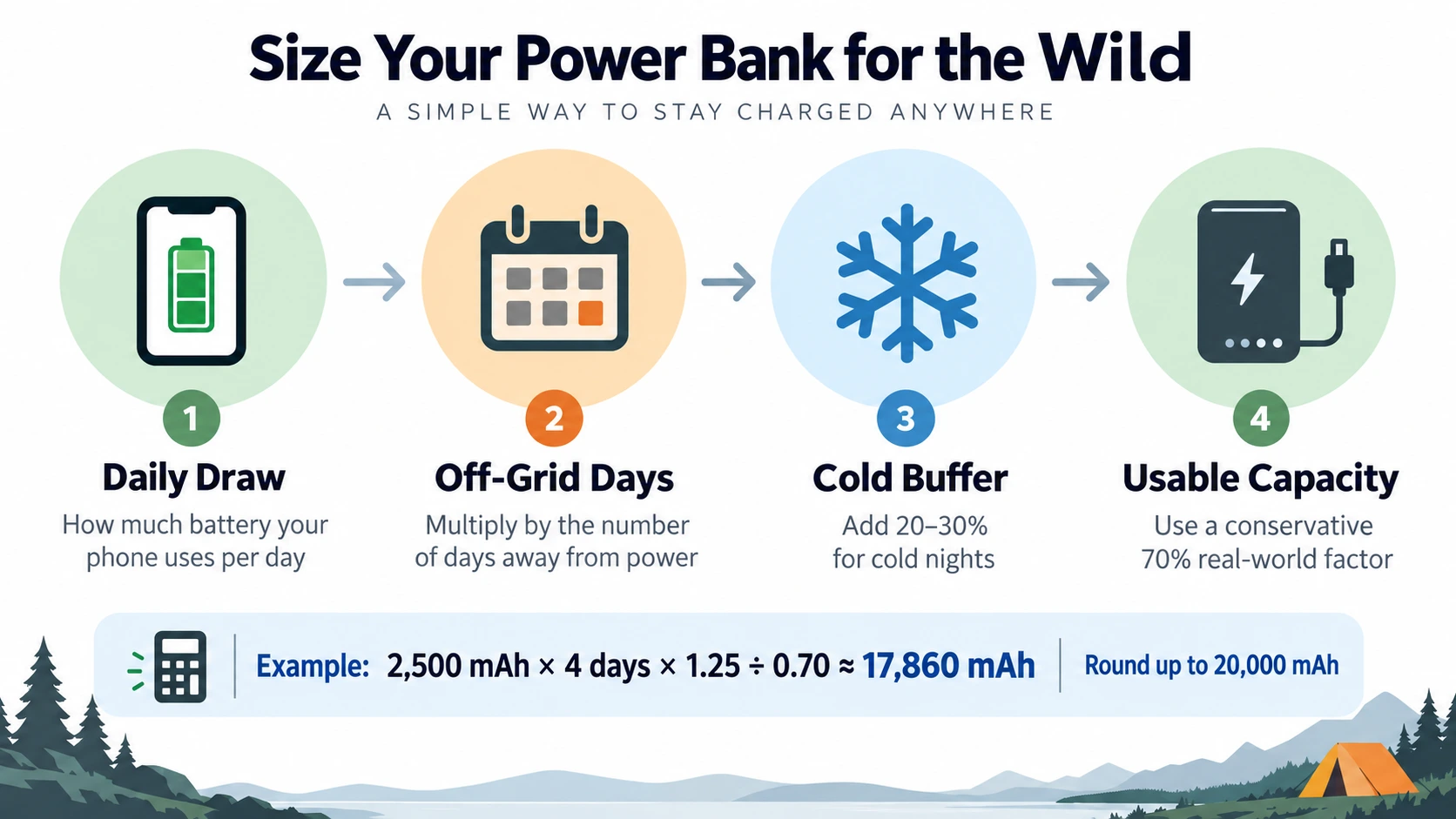
Instead of guessing at a power bank size, this method walks through four numbers that build on each other:
- Daily Draw: how much battery your phone actually uses per day
- Trip Multiplier: Daily Draw stretched across every day you will be off-grid
- Cold Weather Buffer: a planning margin for temporary cold-weather capacity loss
- Charging Efficiency Loss: conversion and device-charging losses between the bank and your phone
Put the four numbers together and you get a practical target for how much charging capacity to pack. You can use milliamp-hours (mAh) for a quick estimate, but watt-hours (Wh) are the cleaner way to compare energy across devices because mAh depends on voltage. Let’s walk through each step.
Step 1: Find Your Daily Draw
Your Daily Draw is simply how much of your phone’s battery a normal camping day uses. If you do not know your phone’s battery capacity, check the manufacturer’s specifications. As a broad reference, Counterpoint Research reported that average global smartphone battery capacity reached 5,291 mAh in January 2026. Use your own phone’s actual capacity whenever possible, because models vary widely.
The catch is that “normal” changes drastically at a campsite. GPS navigation, trail-tracking apps, and photos drain a phone far faster than a day at your desk. As a rough baseline:
- Light use (occasional photos, airplane mode overnight): 20 to 30% of a full charge per day
- Moderate use (GPS check-ins, some photos, messaging when you have signal): 40 to 60% per day
- Heavy use (offline maps running continuously, video, using your phone as your primary camera): 70 to 100%+ per day
Pick the category that matches how you’ll actually use your phone, not how you wish you’d use it. If your phone holds 5,000 mAh and you expect moderate use, your Daily Draw is roughly 2,000 to 3,000 mAh.
If you plan to use your phone for night sky photography, keep in mind that taking long exposures in the cold drains batteries rapidly. However, with a properly sized power bank, you can comfortably photograph the Milky Way with your smartphone without having to ration your screen time the next morning.
Step 2: Multiply by Trip Length
This is the easy part, but it is also where undercounting happens. Take your Daily Draw and multiply it by the number of full or partial days you will be without reliable charging, not just the number of nights. A 5-day, 4-night trip can consume phone battery across all five days.
A 5-day trip with a 2,500 mAh Daily Draw needs about 12,500 mAh of phone-battery energy before you account for cold conditions and charging losses. That is already more than a 10,000 mAh bank can comfortably cover.
Step 3: Add a Cold Weather Buffer
Here is the number most people forget: batteries perform worse in the cold, and that includes both your phone and your power bank. Battery University’s guidance on discharging at temperature extremes notes that cold increases internal resistance and reduces available capacity; it gives an example of a battery delivering about half its room-temperature capacity at 0°F (-18°C). Much of that cold-related capacity loss is temporary and improves when the battery warms again.
For planning, add a 20 to 30% Cold Weather Buffer when overnight temperatures are expected to hover near or below freezing. Treat that as a conservative trip-planning margin, not a fixed battery law: the actual loss depends on temperature, battery chemistry, age, and how hard the device is being used.

| Did you know? Cold affects charging as well as runtime. Battery University advises against charging consumer lithium-ion batteries below 0°C (32°F) because metallic lithium can plate on the anode and cause permanent degradation. If your battery is very cold, warm it gradually before charging. |
This is also where your sleep setup does double duty. The same strategies used to keep a tent warm at night without electricity, like insulating layers, body heat management, and blocking drafts can create a warmer microclimate for electronics too. Store a power bank warm and dry overnight, for example, in an inner pocket or insulated dry bag near your sleeping area, but avoid charging it while buried under bedding where heat cannot dissipate.
Step 4: Account for Charging Efficiency Loss
A power bank does not deliver all of its printed mAh into your phone battery. The printed capacity is based on the bank’s internal cell voltage, while the bank must convert that energy to USB output voltage, and your phone then converts it again while charging. Anker’s technical explanation of rated power-bank capacity describes power-bank circuit efficiency around 80 to 85% and additional charging losses at the device. For a simple mAh-to-mAh trip estimate, using about 70% as a conservative usable-capacity factor is more realistic unless the manufacturer publishes a rated output capacity or watt-hour figure.
Solar charging is even more variable in the field. The U.S. Department of Energy notes that solar output changes with sunlight intensity, clouds, temperature, and the angle at which sunlight strikes the panel. Partial shade can reduce output further. Treat a portable panel’s nameplate rating as a best-case figure rather than a guaranteed all-day supply.
Putting the Numbers Together: A Worked Example
Say you are planning a 4-day off-grid trip with moderate phone use, and overnight lows will dip into the 20s°F.
| Step | Calculation | Running Total |
|---|---|---|
| Daily Draw | 2,500 mAh | 2,500 mAh |
| Trip Multiplier (× 4 days) | 2,500 × 4 | 10,000 mAh |
| Cold Weather Buffer (+25%) | 10,000 × 1.25 | 12,500 mAh |
| Usable-Capacity Factor (÷ 0.70) | 12,500 ÷ 0.70 | 17,860 mAh |
The calculation lands at about 17,860 mAh, so rounding up to a 20,000 mAh power bank gives you a more realistic target. That extra margin is what protects you from finishing the trip with a nearly dead phone.
Choosing the Right Power Bank
Once you have your target number, a few practical notes make the shopping part easier:
- Round up, not down. Power-bank mAh is a nominal cell-capacity figure, not a promise that the same number of mAh will reach your phone. Anker explains how cell voltage and conversion losses reduce rated output. If a manufacturer lists watt-hours or rated output capacity at 5V, use those figures for a cleaner comparison.
- Check the watt-hour rating if you are flying to your trailhead. Under current FAA PackSafe guidance, spare lithium-ion batteries and power banks must stay in carry-on baggage. Batteries up to 100 Wh are generally allowed; 101 to 160 Wh batteries require airline approval and are limited to two larger spares per person. Power banks above 160 Wh are not allowed on passenger aircraft. Airlines may impose stricter limits, so check your carrier before flying.
- Multiple smaller banks beat one giant one. A 10,000 mAh bank in your pocket and a 15,000 mAh bank in your pack gives you redundancy if one gets lost, dropped in a creek, or simply forgotten in the tent.
Solar as a Backup, Not a Primary Plan
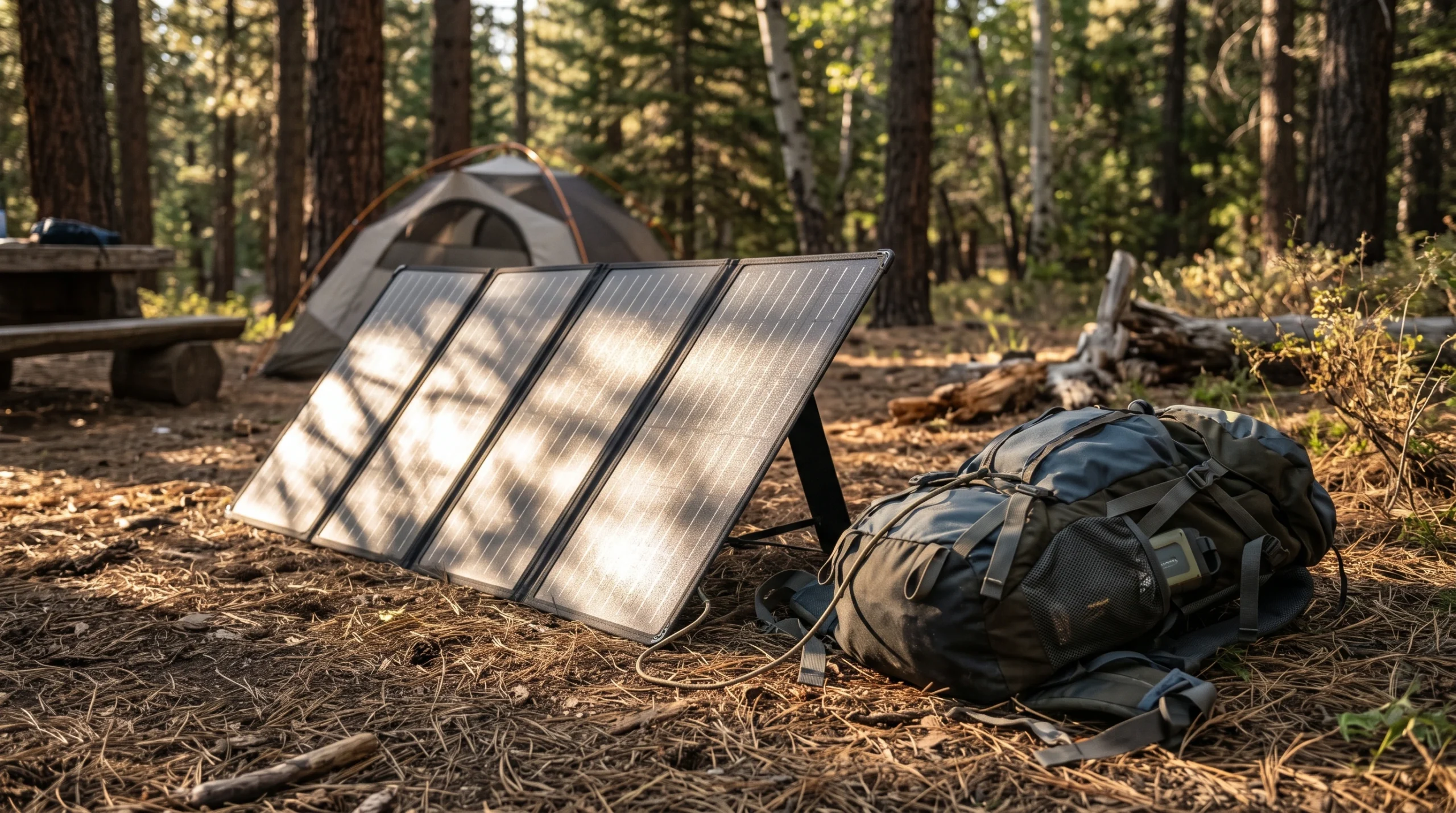
For most short camping trips, a correctly sized power bank is more predictable than relying on solar alone. Solar can extend your range when conditions are favorable, but output changes with clouds, panel angle, shade, temperature, and daylight hours. DOE solar-performance guidance is a useful reminder that rated panel output is measured under standardized conditions, not typical campsite conditions. Unless your solar system is deliberately sized for your daily load, treat it as bonus capacity rather than a replacement for your Power Budget.
FAQ
Use 7 off-grid days as your Trip Multiplier. With moderate use at 2,500 mAh per day, the base requirement is 17,500 mAh. Add a 25% cold-weather buffer and divide by a conservative 0.70 usable-capacity factor, and the target is about 31,250 mAh of nominal power-bank capacity. In warm weather, the same estimate is about 25,000 mAh. If you are flying, check each bank’s Wh rating against FAA and airline limits rather than carrying one oversized unit.
Yes. Battery University explains that cold increases internal resistance and reduces available capacity while the battery is cold. That temporary performance loss can improve as the battery warms. More importantly, avoid charging a consumer lithium-ion battery below freezing unless the manufacturer specifically says the pack is designed for it.
Yes, up to 100 Wh is generally allowed in carry-on baggage; 101 to 160 Wh requires airline approval and is limited to two larger spares. Power banks must not be placed in checked baggage, and individual airlines can set tighter rules.
Sometimes, but it is less predictable than carrying known stored capacity. For most trips, size your power bank to cover the essential phone load and treat solar as a way to extend that reserve.
Because the mAh number on the case is measured at the internal battery-cell voltage, while charging a phone requires voltage conversion and incurs electrical losses. For quick trip planning, use a conservative usable-capacity factor or, better yet, compare watt-hours and the manufacturer’s rated output capacity.